
Download Hard Drive Inspector – hard drive monitoring, drive health check, temperature monitoring, error resistance, reliability check, data protection, proactive maintenance, PC performance
Overview
Hard Drive Inspector is a specialized utility designed for users seeking to maintain the long-term health and performance of their computer’s storage systems. The application focuses on continuous monitoring of critical hard drive metrics, including temperature, reliability, and error resistance, enabling users to detect early signs of hardware degradation. By providing real-time insights into drive conditions, Hard Drive Inspector helps prevent unexpected failures and data loss—common concerns for both personal and professional users. The app is particularly valuable for individuals who rely heavily on their computers for storing sensitive or irreplaceable data, such as photographers, video editors, and business professionals.
Although the developer did not provide additional technical details about the app’s background or development philosophy, its consistent presence in the PC utility space since 2015 suggests a stable and reliable offering. The application operates as a background tool, integrating with the Windows system tray to deliver ongoing updates without disrupting workflow. Real-world use cases include routine maintenance checks for aging drives, preemptive monitoring during intensive computing tasks, and ensuring optimal operating conditions in environments with fluctuating temperatures. In the broader context of PC performance tools, Hard Drive Inspector fills a niche by offering focused, no-frills diagnostics that complement more comprehensive system optimization software.
Key Features & Functionality
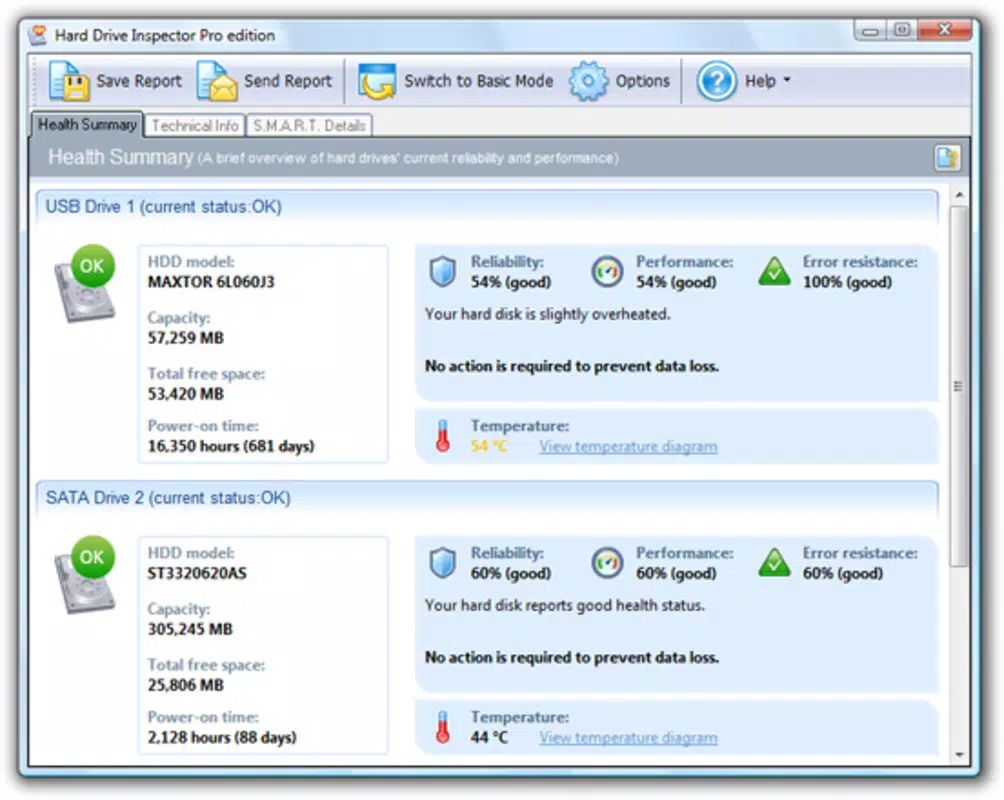
- Comprehensive Monitoring: Tracks essential drive health indicators such as temperature, reliability, and error resistance, providing users with a holistic view of their storage device’s condition.
- Real-Time Notifications: Displays a visual health indicator in the Windows system tray, allowing users to instantly assess drive status without opening the application.
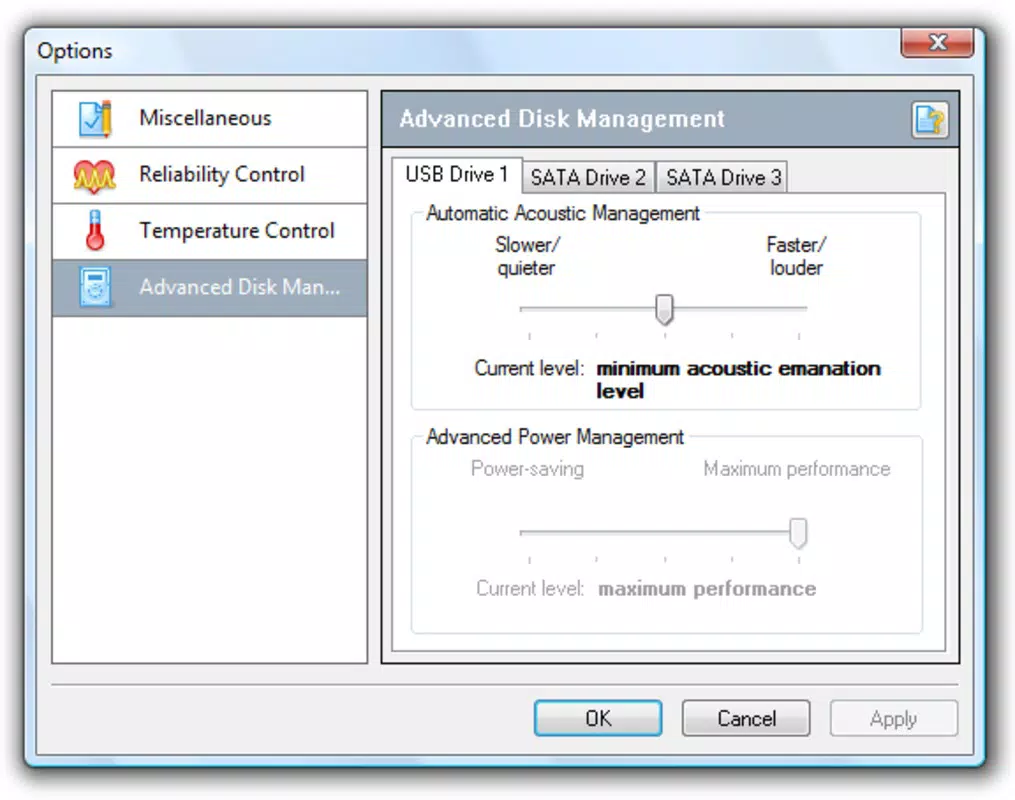
- Customizable Temperature Alerts: Users can define threshold levels for temperature, triggering audible alerts when limits are exceeded to prevent overheating-related damage.
- User-Friendly Interface: Presents complex diagnostic data in a clean, accessible layout, making it suitable for users with varying levels of technical expertise.
- Proactive Drive Care: Encourages timely maintenance by highlighting potential issues before they escalate into critical failures, enhancing data protection and system longevity.
For example, a user running a video rendering task on a desktop with a high-performance drive can rely on Hard Drive Inspector to monitor temperature spikes and receive alerts if the drive exceeds safe operating limits. Similarly, a home user with a five-year-old laptop can use the app to check for signs of wear and decide whether to back up data or replace the drive. The integration with the system clock area ensures that users remain informed without needing to open the app, promoting consistent awareness and responsible drive management.
Interface, UX & Performance
Hard Drive Inspector features a minimalist interface designed around clarity and accessibility. The main window displays key metrics in a straightforward layout, using color-coded indicators to represent drive health status—typically green for optimal, yellow for caution, and red for critical issues. Navigation is intuitive, with minimal clicks required to access core functions. The application runs quietly in the background, consuming minimal system resources, which is essential for a tool that must operate continuously without affecting performance.
Although the developer did not list formal performance metrics, the app’s lightweight footprint of 11.3 MB suggests efficient resource usage. It is designed to operate seamlessly across a range of Windows devices, from older desktops to modern laptops, without causing lag or crashes. Responsiveness is maintained through optimized polling intervals for drive data, ensuring updates are timely without overloading the system. Stability is further supported by its long-standing presence on the platform, indicating consistent behavior across updates and system configurations. The absence of intrusive pop-ups or unnecessary animations enhances the user experience, aligning with the app’s focus on reliability and discretion.
Platform Compatibility & Technical Requirements
Hard Drive Inspector is available exclusively for the Windows platform. The current version is 2.0.0.0, with a file size of 11.3 MB. The developer did not specify minimum OS requirements or compatibility details beyond the platform, so users should ensure their system supports Windows applications before installation. While the app is designed to run on desktop and laptop systems, compatibility with specific Windows versions—such as Windows 7, 8, 10, or 11—was not disclosed. Similarly, no hardware-specific requirements were listed, leaving users to rely on general system stability and standard drive interfaces for successful operation.
Pros and Cons
Pros
- Lightweight design with minimal system impact
- Real-time health status indicator in the system tray
- Customizable temperature alerts to prevent overheating
- Simple, intuitive interface suitable for non-technical users
- Free to download and use with no hidden costs
Cons
- Platform limited to Windows; no support for macOS or mobile devices
- Developer did not provide detailed system or hardware requirements
- Limited to hard drive monitoring—no broader system diagnostics
- No mobile version available for on-the-go access
- Information about update frequency and future development was not disclosed
FAQ
Is Hard Drive Inspector safe to install?
Yes, the application is designed as a legitimate system utility and does not contain malware or intrusive components. It operates within standard Windows security protocols.
Can I use Hard Drive Inspector on multiple computers?
Since the app is free and does not require licensing, users may install it on multiple Windows devices for personal use, though the developer did not specify usage terms.
Does Hard Drive Inspector work with external hard drives?
The app is designed to monitor internal hard drives. Compatibility with external drives may vary depending on the drive’s interface and whether it reports health data through standard S.M.A.R.T. protocols.
How often does the app check drive health?
Hard Drive Inspector performs continuous monitoring with regular polling intervals. The exact frequency was not disclosed by the developer.
Is there a mobile version of Hard Drive Inspector?
Currently, the application is only available for Windows. There is no official mobile version for Android or iOS devices.
Final Thoughts
Hard Drive Inspector stands out as a focused, efficient tool for users committed to preserving the integrity of their computer’s storage. Its ability to deliver real-time health insights, customizable alerts, and a clean interface makes it a valuable addition to any PC maintenance routine. While it is limited to Windows and lacks broader system diagnostics, its specialized functionality addresses a critical need: preventing data loss through proactive monitoring. For individuals who value data protection and system reliability, this app offers a practical, no-cost solution that delivers tangible benefits without complexity.
Download Hard Drive Inspector now


